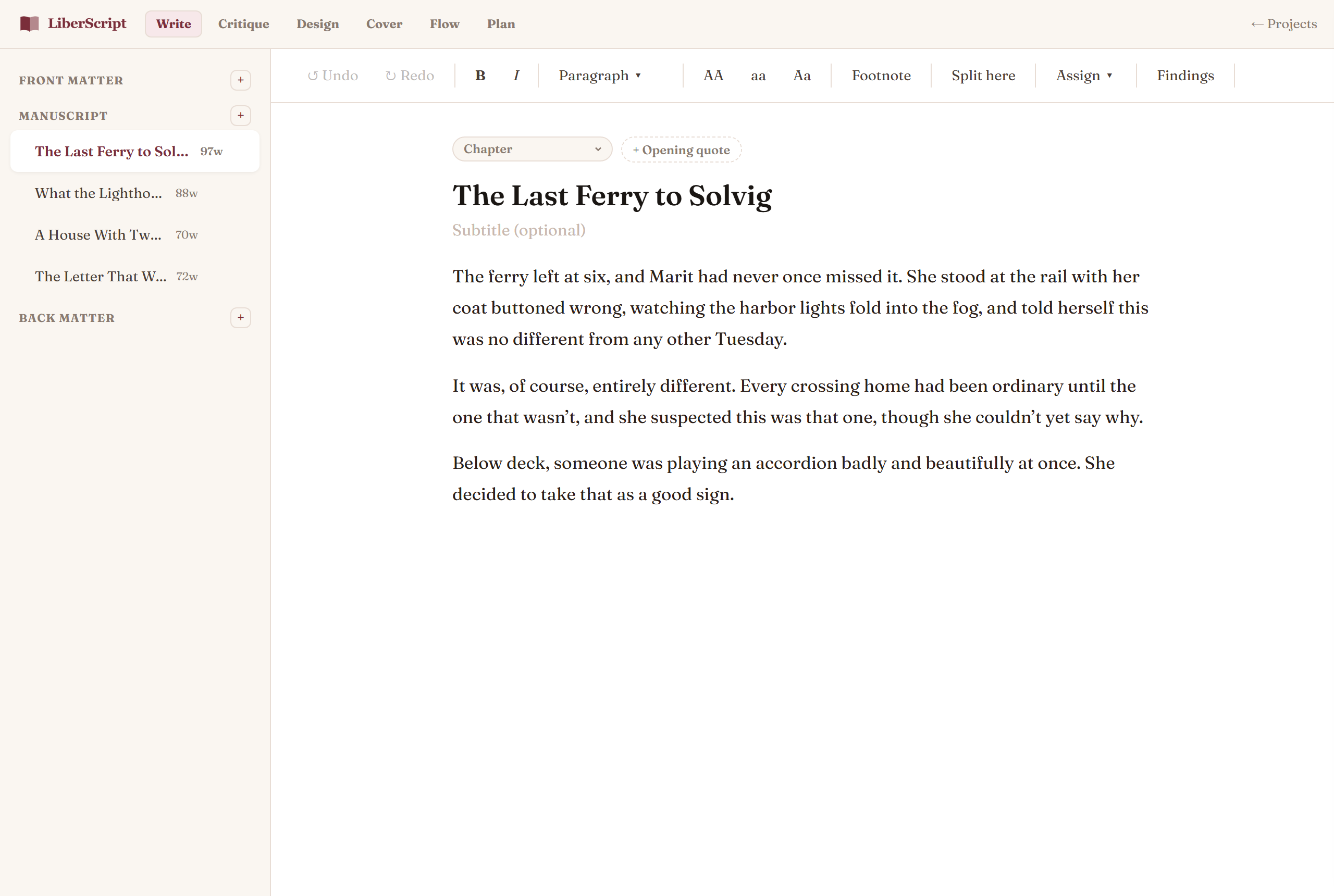
Write mode is where most of your drafting and revising happens: a clean page for one chapter or section at a time, with your full book structure laid out in the sidebar on the left: front matter, manuscript chapters, and back matter, each in their own group.
Why it works this way
- ✓One section at a time, zero clutter. Long manuscripts get overwhelming fast. Write mode keeps your focus on the page you're actually working on.
- ✓Every section type is already built in. Prologue, Foreword, Part, Epilogue, Acknowledgments, Appendix, and more are one click away in the sidebar, no formatting them yourself.
- ✓Saves as you type. There's no save button because there's nothing to remember: a small indicator simply confirms "Saved" a moment after you stop typing.
The formatting toolbar
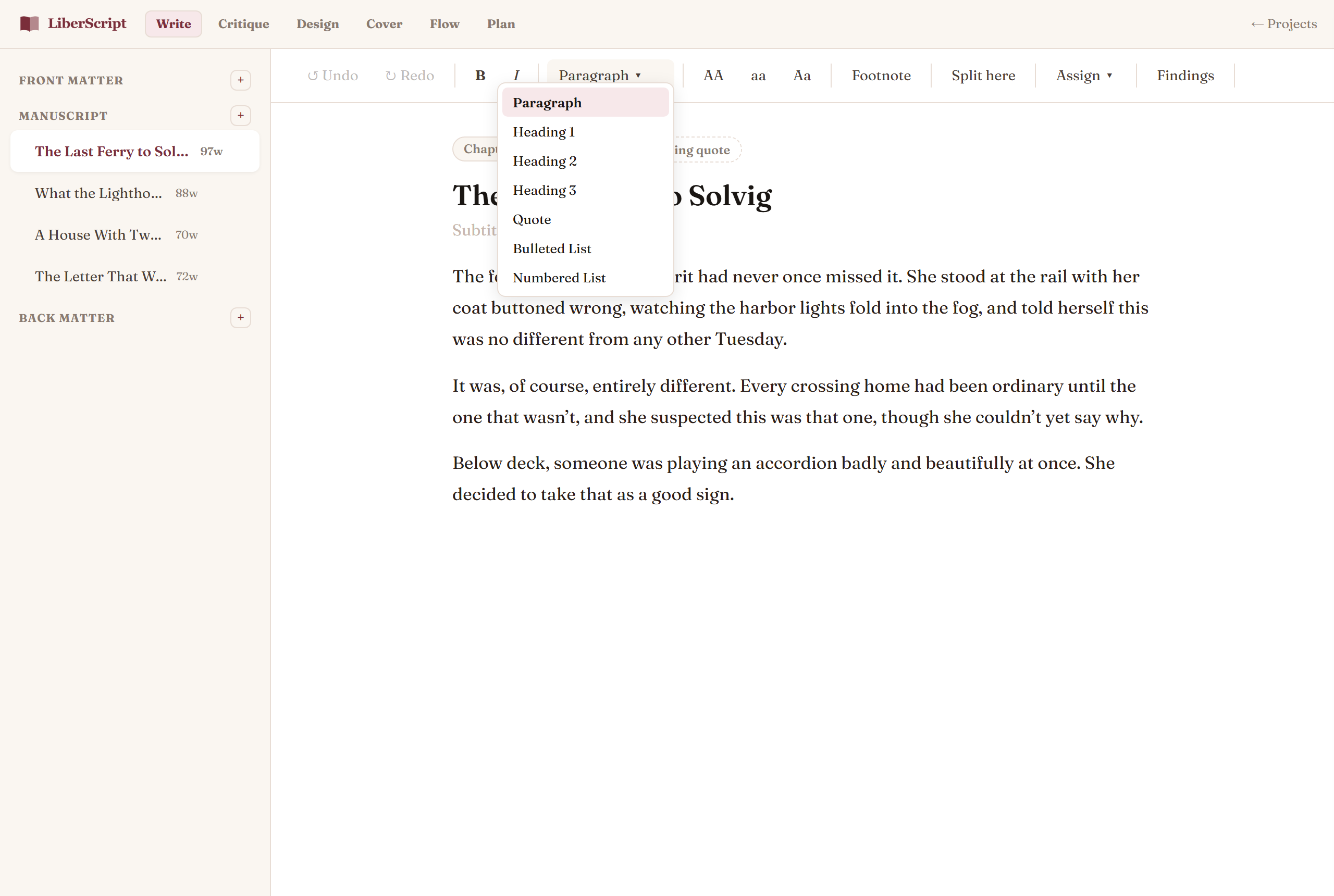
Along the top of the page: bold, italic, a single "Format" dropdown, and quick case conversion (UPPERCASE, lowercase, Title Case) for whenever you paste in text that needs cleaning up. The Format dropdown shows the current selection's type at a glance (Paragraph, Heading 1 through 3, Quote, Bulleted List, or Numbered List) and switching between any of them is one click, instead of turning one off before turning another on. Undo and redo sit on the far left and track everything you do in that chapter.
The floating selection toolbar
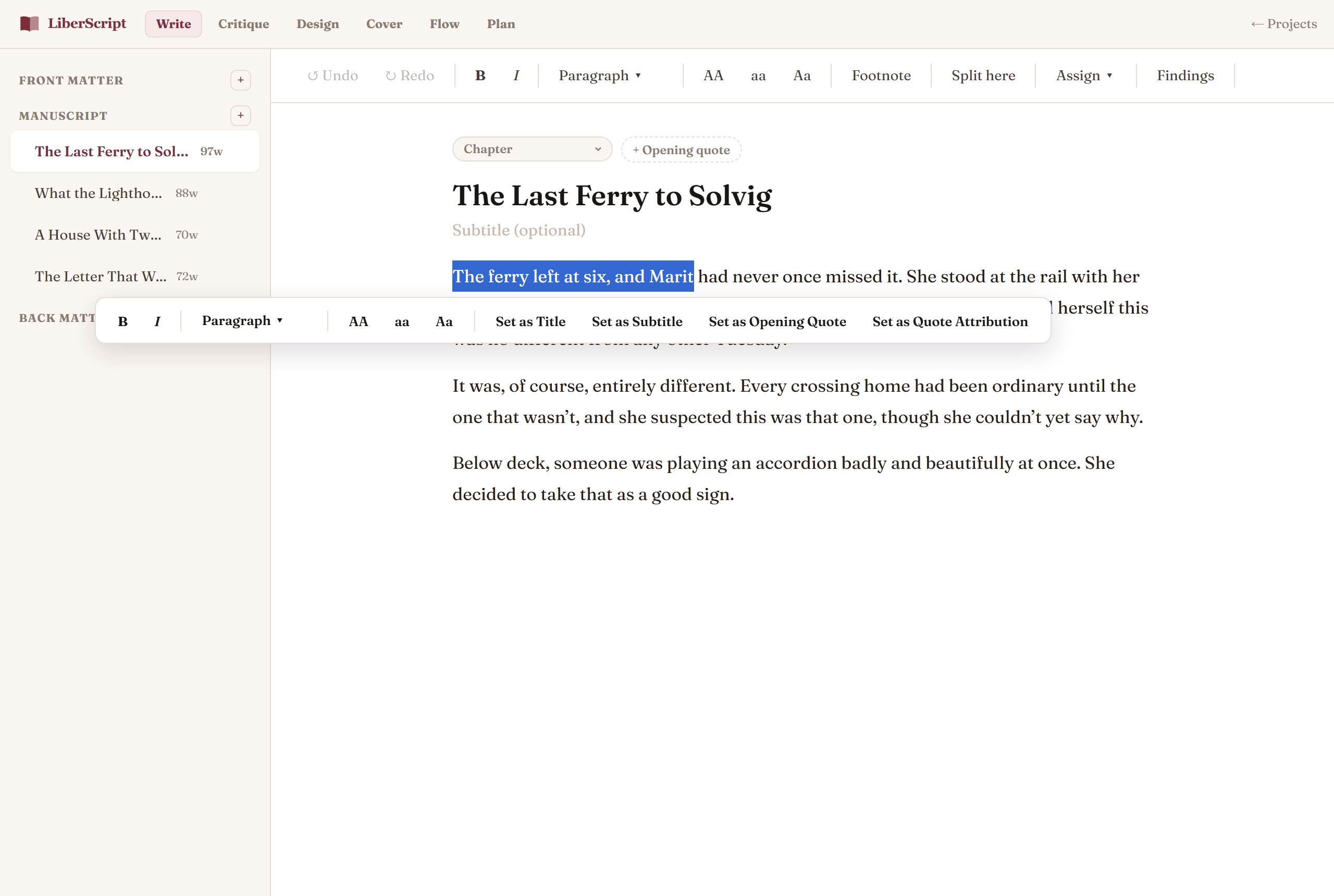
Select any piece of text and a small toolbar appears right above it with the same formatting options, including the same Format dropdown: no need to reach up to the top bar for a quick bold or heading change. It also carries a few extra one-click actions specific to whatever you've selected:
- Set as Title / Set as Subtitle: turn a line you've already written into the chapter's title or subtitle, instead of retyping it into a separate field.
- Set as Opening Quote / Quote Attribution: promote a line straight into a chapter's opening epigraph and its attribution (available on chapters, prologues, and similar sections).
- Set as Attribution: on a book-level Epigraph page, turns selected text into the quote's attribution line.
Changed your mind right after using one of these? Ctrl+Z (or the Undo button) puts both the text and the field back exactly the way they were, in one step.
Splitting a title into a title and subtitle with Enter
Typed a chapter or book title as one line — "Chapter 1: Brooklyn Born" or "Brooklyn Born — The Family That Made Him" — straight into the Title field? Place your cursor right after the separator and press Enter: everything before becomes the title, everything after becomes the subtitle, and your cursor lands in the subtitle field ready to keep typing. Works the same way for your book's own Title Page fields.
Opening quotes, epigraphs & dedication
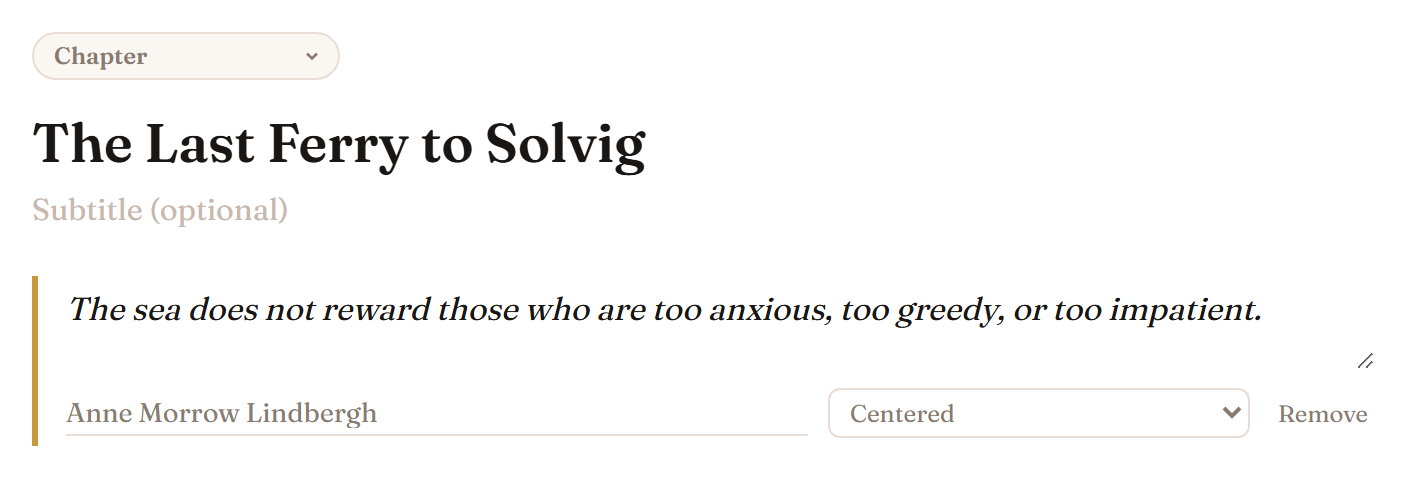
Chapters, prologues, forewords, and similar sections can each carry an optional short quote above their heading: click "+ Opening quote" in the small row above the chapter title and fill in the quote, its attribution and a presentation style, or select the text and use "Set as Opening Quote" above. "Remove" takes it away again. Your book's own front-matter Epigraph and Dedication pages work the same way, with their own attribution and style options.
Footnotes & automatic bibliography
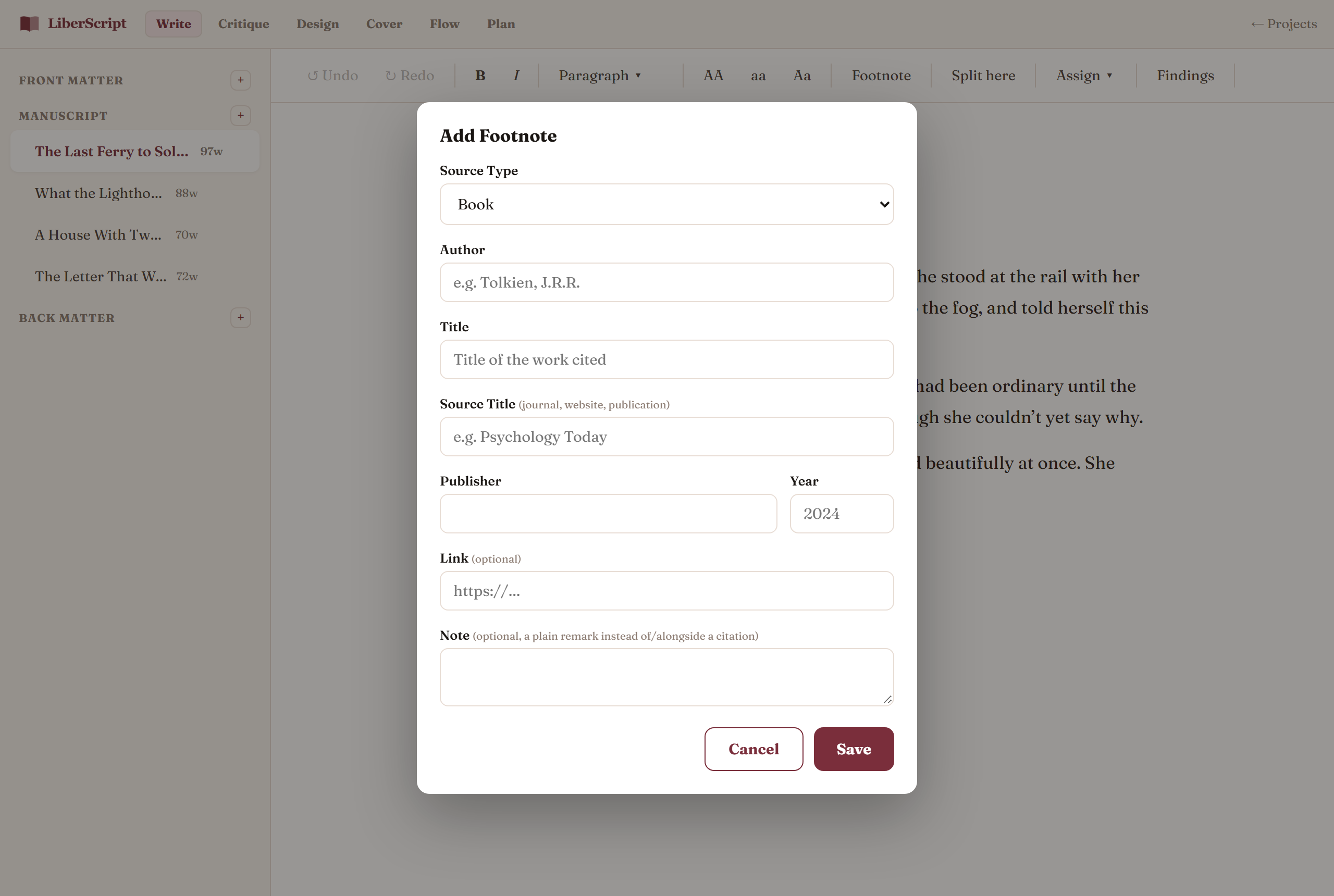
Insert a footnote anywhere in your text and fill in a short citation form: author, title, source, publisher, year, a link if you have one. LiberScript numbers every footnote across your whole book automatically, so reordering or splitting chapters never leaves you renumbering anything by hand. Add a Bibliography section from the sidebar and it builds itself from every footnote you've used; rename it "References" or "Works Consulted" any time without breaking the list.
Splitting a chapter
Grown too long, or realized a chapter should really be two? Place your cursor where the split should happen and click "Split here", everything after your cursor becomes a brand-new chapter instantly, titles and formatting intact.
How to use it, step by step
Related
A continuous, scrollable alternative to chapter-by-chapter editing.
Read more →Get structural feedback and catch grammar issues before you export.
Read more →