Ideas rarely show up at a convenient time: mid-sentence, mid-chapter, or while you're just looking over your book list deciding what to work on next. Sticky notes give you somewhere to put them immediately, without opening a new document or breaking whatever you're doing.
Where you'll find it
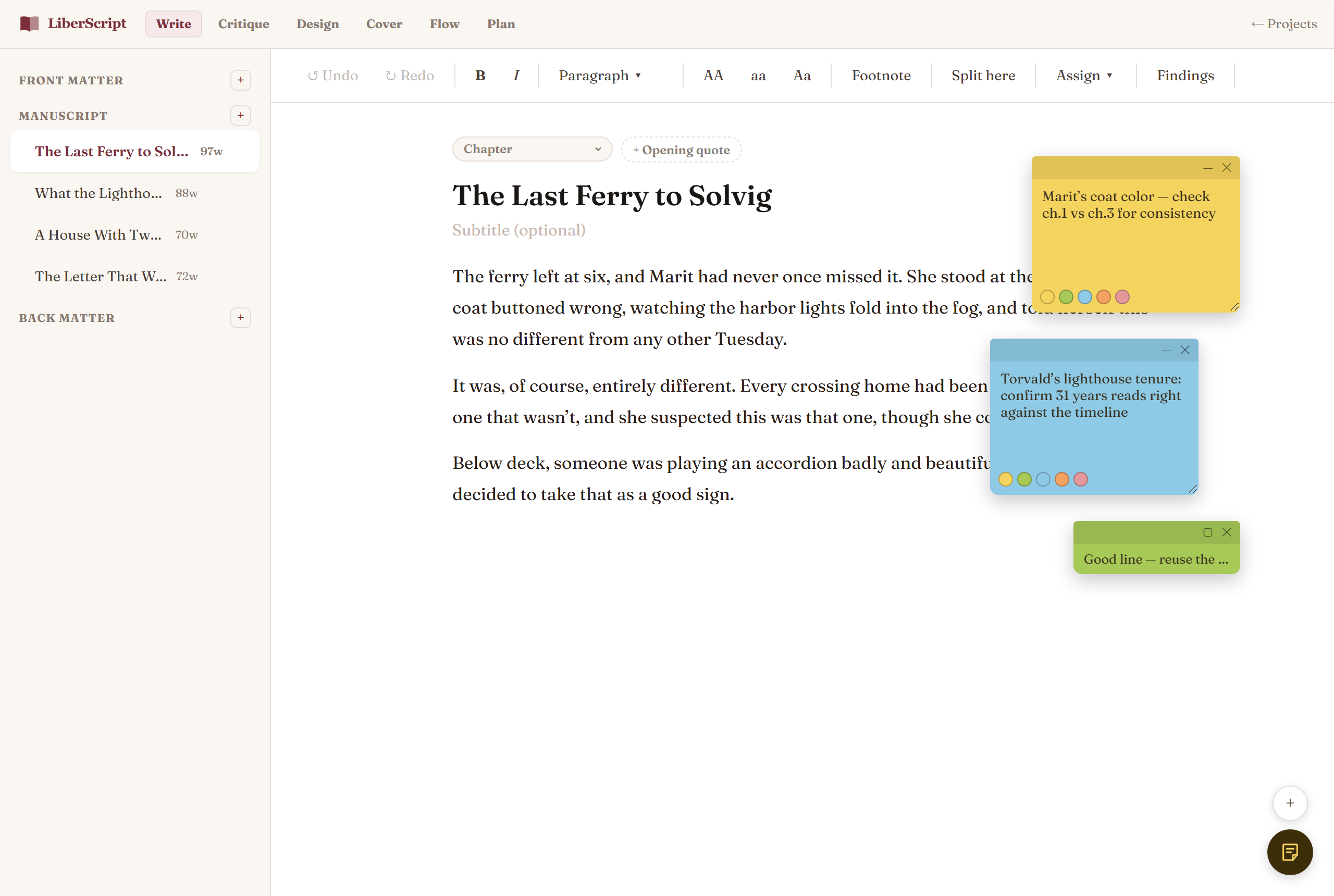
A small round notes button sits in the bottom-right corner of both your dashboard and every book you open. Click it to show or hide your notes; while they're showing, the small + above it adds a new one, which appears as a colored card you can drag where you like. When notes are hidden, the button shows how many you have.
How notes behave
- ✓They follow you around. Inside a book, notes stay with you in every tab: Write, Critique, Design, Flow, or Plan. On your dashboard, they stay put across Overview, Books, Orders, and every other section.
- ✓They stay out of the way. Notes never cover the chapter list or the toolbars, and one tap hides them all. Your choice is remembered; notes start hidden on your dashboard and on phones.
- ✓They save automatically, the same way your writing does, no save button, nothing to lose by navigating away.
- ✓Color-code them using the small swatches at the bottom of each note: handy for separating "fix this" from "remember this" from "idea for later."
- ✓Drag them anywhere by their top bar, and remove one with the × in its corner when you're done with it.
Dashboard notes vs. book notes
Notes on your dashboard are separate from the notes inside any one book: dashboard notes are for things that don't belong to a single project (a reminder to check on an order, an idea for your next book before you've even created it), while a book's own notes stay with that book specifically.
What they're not
Sticky notes are pure scratch space: they never appear in an exported EPUB, PDF, or DOCX, and they're never read by Critique or any other feature. They exist purely for you.
How to use it, step by step
Related
For structured outlining beyond a quick note.
Read more →